What is Graph Compose?
Graph Compose is a zero-deploy workflow orchestration platform built on Temporal. You describe a workflow as a single JSON document, submit it, and Graph Compose executes it with automatic retries, durable state, and error boundaries. No servers to provision, no workers to manage, no infrastructure to maintain.
That JSON document is the core primitive. It defines your nodes (typically HTTP requests), their dependencies, and how data flows between them. Once submitted, Graph Compose hands it to Temporal for durable execution. Every guarantee (retries, timeouts, error boundaries, parallel fan-out) comes from that one representation.
Three ways to produce the same JSON:
- TypeScript SDK for full programmatic control with a fluent builder API
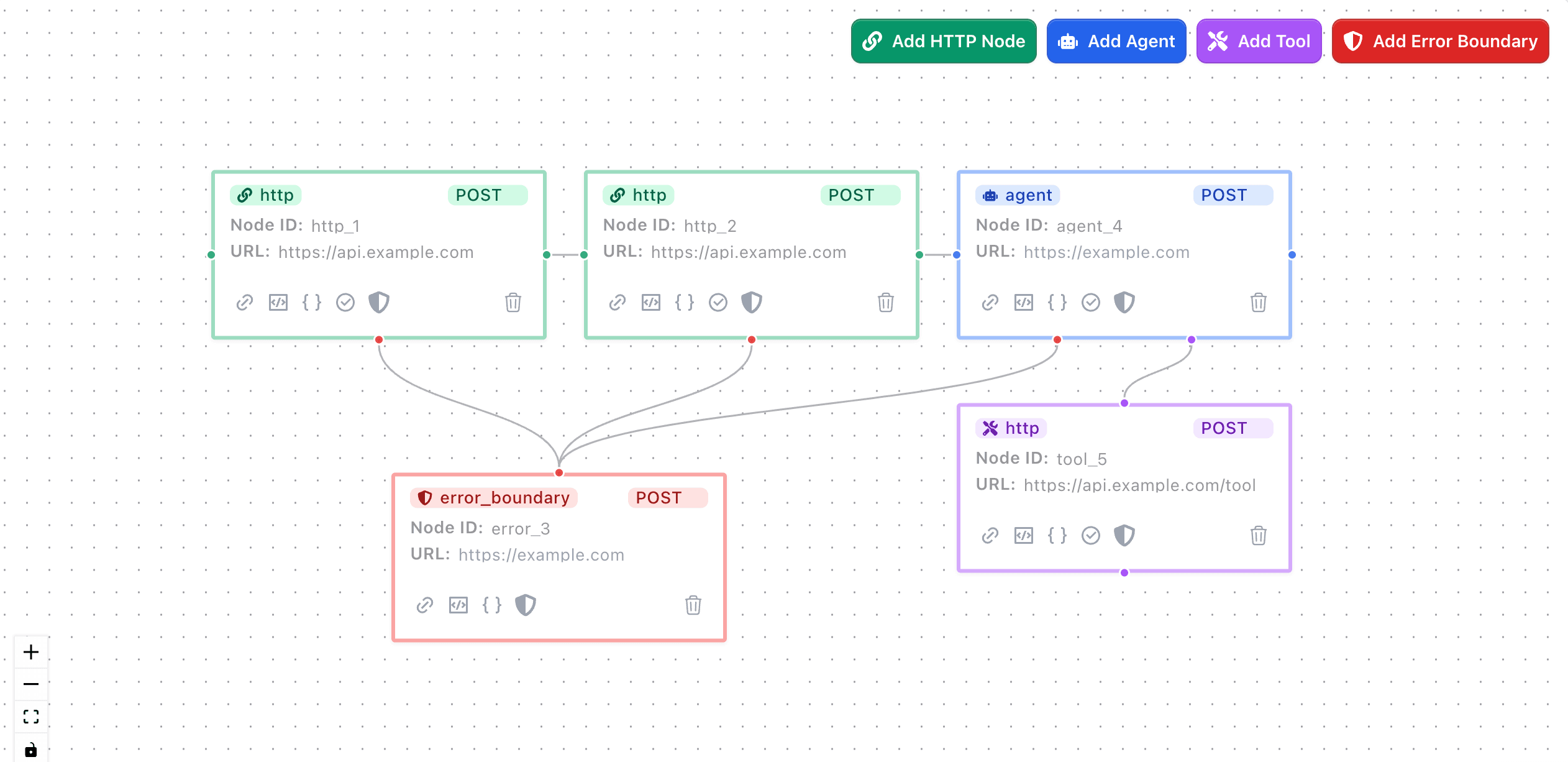
- Visual Builder for drag-and-drop workflow design on a canvas
- AI Assistant to generate a workflow from a natural language description
The authoring method does not matter. All three produce the same JSON format and execute on the same Temporal-powered engine.
You need an API token to create workflows. Find yours under Settings » API Keys.
When to Use Graph Compose
Graph Compose is a good fit when you need to:
- Orchestrate multiple API calls with dependencies between them, where one call's output feeds into the next
- Add retries and timeouts to HTTP requests without writing retry loops or managing state yourself
- Handle partial failures with error boundaries that run cleanup logic (release inventory, revoke tokens) when a step fails
- Run long-running workflows that outlive serverless function timeouts, including jobs that poll for completion or wait for human approval
- Batch-process data from sources like Google Sheets, spawning one workflow per row with automatic result aggregation
- Integrate AI agents that can call tools iteratively, make decisions, and complete tasks within a workflow
Bring your own services
Graph Compose does not host your application logic. It orchestrates it. Each node in a workflow is an HTTP request to an endpoint you control, whether that is a production API, a cloud function, or a service running on your laptop.
You do not need to change your existing APIs. Point a node at any URL that accepts HTTP requests, and Graph Compose calls it, stores the response, and passes the result to downstream nodes. Your services stay where they are.
This also makes local development straightforward. If you are building or debugging a service, expose it with a tunnel (such as ngrok) and use the tunnel URL in your workflow. Graph Compose calls your local server the same way it calls a production endpoint, so you can inspect requests, test error handling, and iterate without deploying.
How It Works
A workflow is a directed acyclic graph (DAG) of nodes. Each node is typically an HTTP request. You define nodes, their dependencies, and how data flows between them using template expressions.
- Define your workflow as JSON (directly, via the SDK, the visual builder, or the AI assistant)
- Submit it to Graph Compose via API or the dashboard
- Graph Compose starts a Temporal workflow that executes your nodes in dependency order, running independent nodes in parallel
- Each node result is persisted and accessible to downstream nodes via
{{ results.nodeId.data.field }} - Query state at any time while the workflow runs, or after it completes
Temporal provides the durable execution layer. If a worker crashes mid-workflow, Temporal replays from the last checkpoint. You do not need to manage Temporal directly unless you choose to via BYOK.
What You Get
Build
- TypeScript SDK with a fluent builder pattern and client-side validation
- Visual Builder with drag-and-drop canvas, node configuration modals, and template autocomplete
- AI Assistant that generates workflow graphs from natural language descriptions
- Pre-built integration nodes for popular services (Stripe, SendGrid, AWS, Google Sheets, and more)
Execute
- Durable execution on Temporal, surviving server restarts, network failures, and process crashes
- Retry policies configurable per node: max attempts, backoff intervals, non-retryable error types
- Error boundaries that catch failures in protected nodes and call your cleanup endpoint
- Flow control with conditional branching (
continueTo), termination (terminateWhen), and polling (pollUntil) - Timeouts at both the workflow and per-node level
Monitor
- Real-time state queries on running workflows via Temporal, with persisted state in the database for completed runs
- Workflow Runs dashboard with filtering, sorting, and per-node execution detail
- Webhook notifications on workflow completion
Scale
- Iterator workflows that read rows from a source (Google Sheets, CSV) and spawn one child workflow per row
- BYOK Temporal to connect your own Temporal Cloud or self-hosted instance, keeping workflows on your infrastructure
- AI agent nodes with multi-turn conversation, tool orchestration, and human-in-the-loop approval
Use Cases
Media Processing Pipeline
Transform and process media files through multiple services without managing infrastructure. Chain multiple processing steps with different services, with automatic retries and error handling.
Data Pipeline Orchestration
Coordinate complex ETL processes across multiple services with built-in reliability. Handle failures gracefully and maintain data consistency across the entire process.
E-commerce Order Processing
Handle complex order fulfillment flows with multiple integrations and guaranteed execution. Coordinate inventory, payments, shipping, and notifications while maintaining transactional integrity.
Guides
Flow Control with Conditions
Control workflow execution with conditions and branching logic.
Template Syntax for Dynamic Node Requests
Master JSONata expressions for dynamic request construction and data transformation.
Error Handling & Retries
Implement robust error handling and configure retry policies for your workflows.
Configuring Resiliency
Configure your workflows for maximum resiliency and durability with retry policies and timeouts.
Resources
Core Concepts
Understand the fundamentals of graph-based workflow orchestration and our DAG approach.
TypeScript SDK
Build type-safe workflows with our TypeScript-first approach and comprehensive SDK.